
Safety app · iPhone
Check First — Scam Protection
Check First is a scam-protection app for iPhone, built for families. Paste a suspicious message, email or web address — or add a screenshot — and Check First looks for common scam warning signs and explains what it found in plain language. Results are estimates to help you pause and check, never a guarantee, and anything suspicious should always be verified independently.
Made by Education Host
Results are estimates — always verify independently
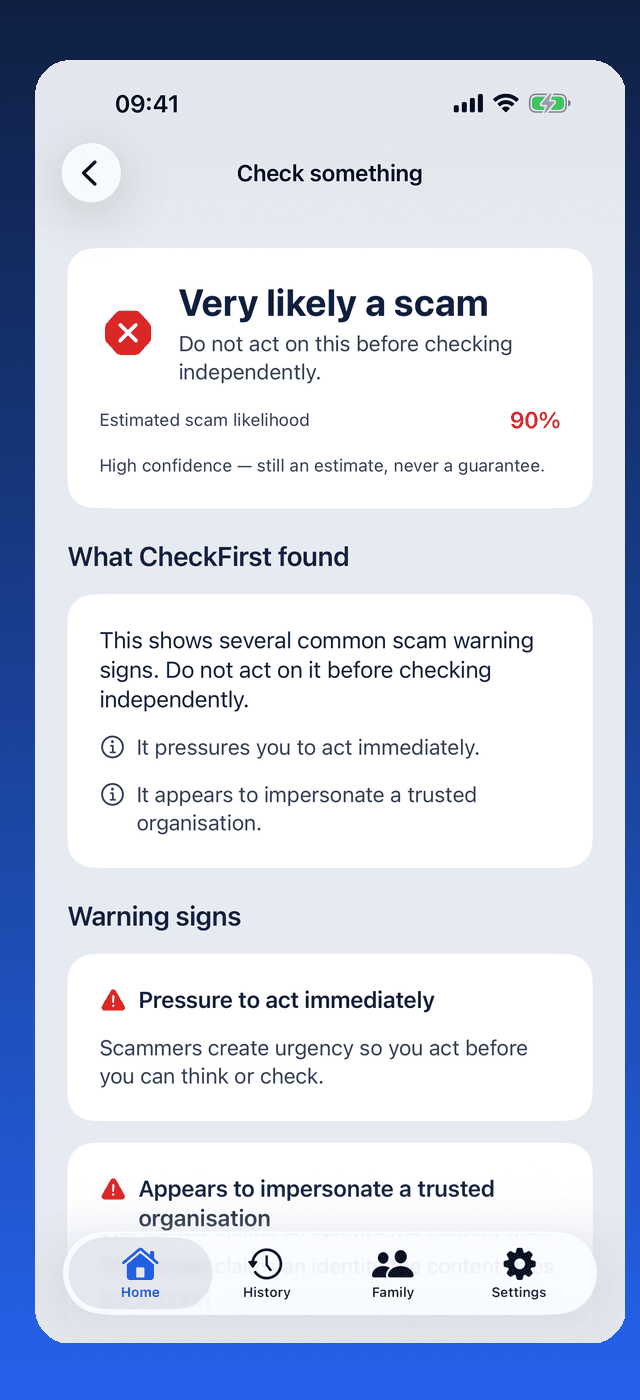
Check First helps you pause and look for warning signs. Its results are estimates of scam likelihood, never a guarantee — and a clear result does not prove a message is genuine. Before acting on anything suspicious, verify it independently using contact details you already know and trust.
How does a check work?
Choose what to check
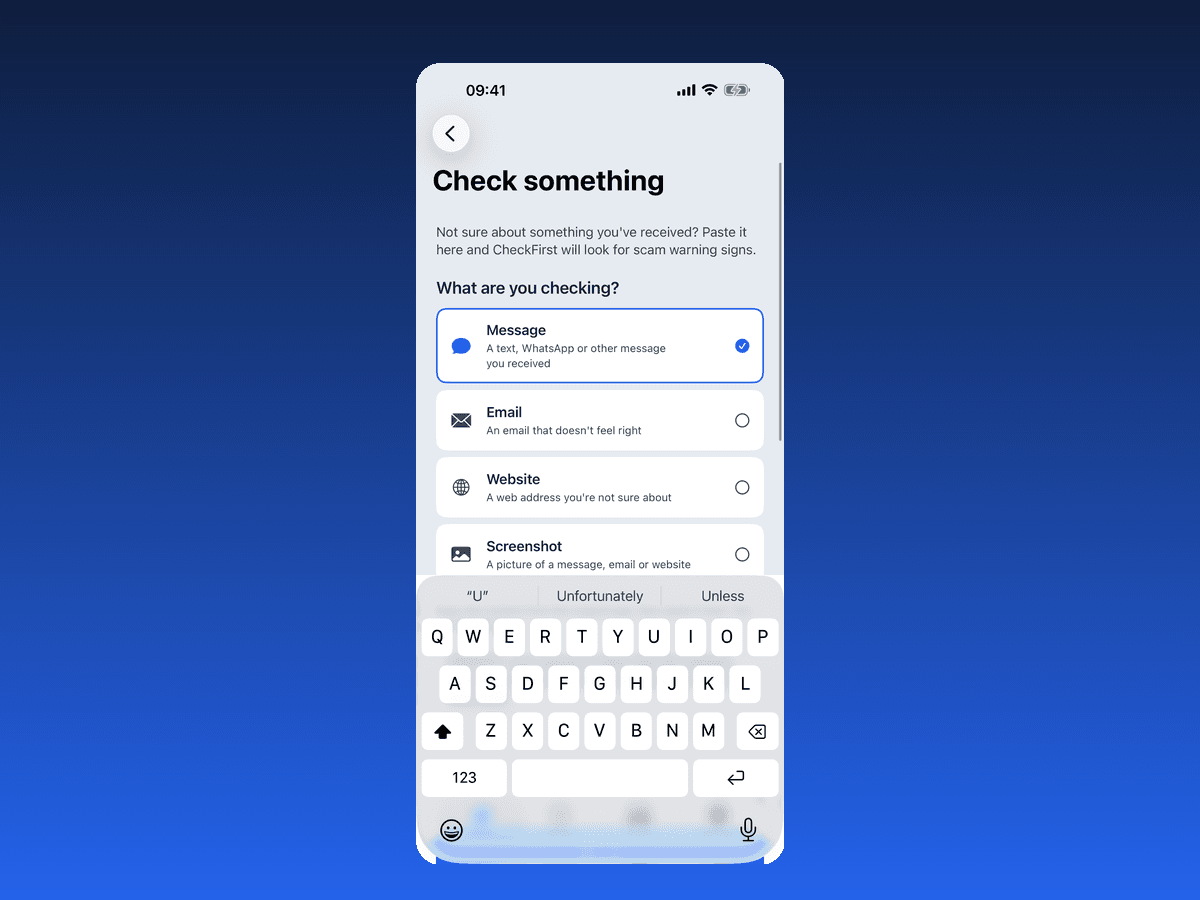
Pick a message, email, website or screenshot — whatever you or a family member has been sent.
Check First looks for warning signs
The content is checked against common scam warning signs, like pressure to act immediately or impersonating a trusted organisation.
Read the result — an estimate, explained
You get an estimated scam likelihood with each warning sign explained in plain language. It is an estimate, never a guarantee.
Verify independently before acting
Whatever the result says, verify suspicious content through contact details you already trust — never the ones in the message itself.
Warning signs, explained in plain language
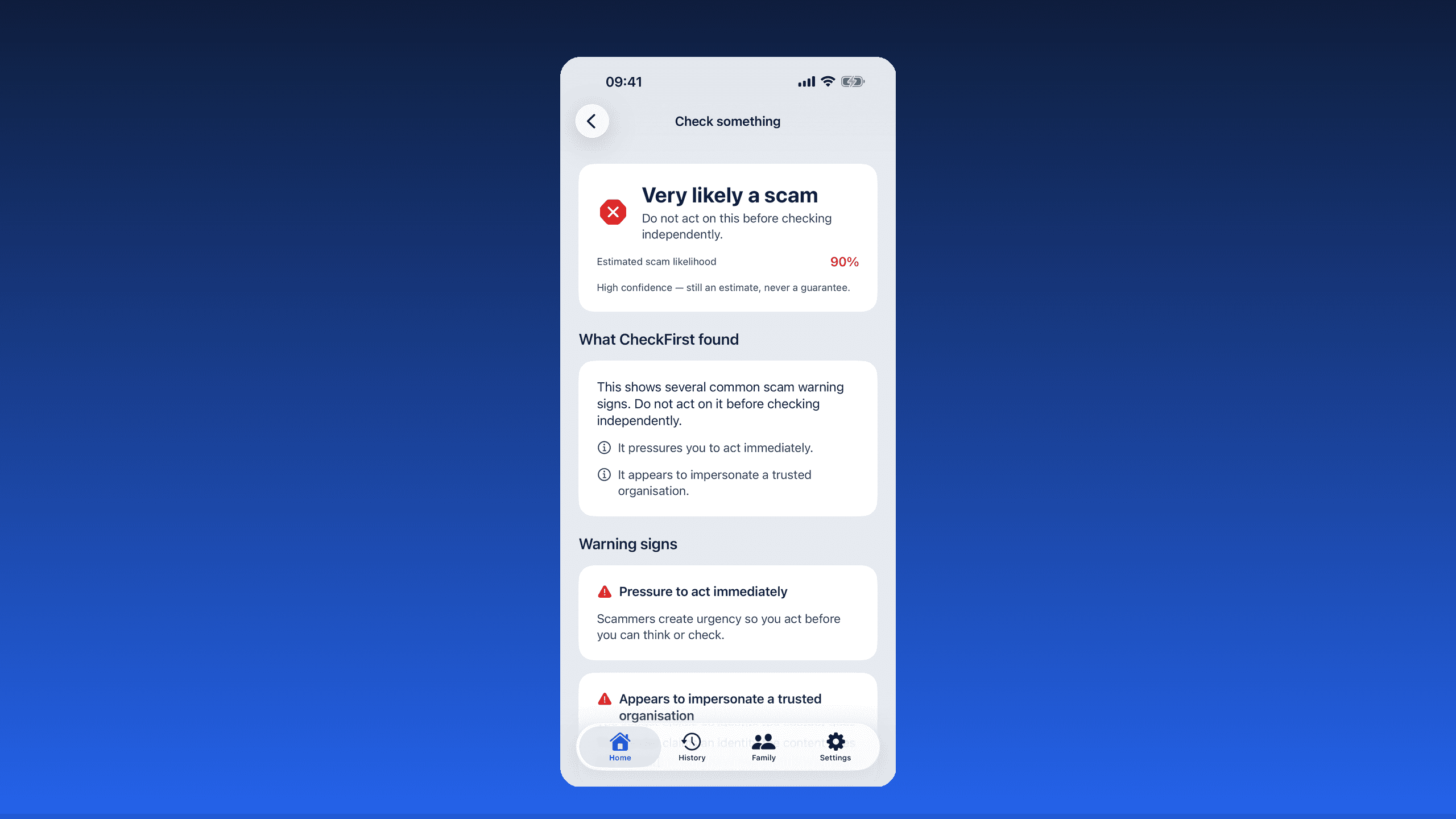
Instead of a bare verdict, Check First lists the warning signs it found — pressure to act immediately, impersonating a trusted organisation — and explains why each one matters.
Every result is an estimate of scam likelihood, stated plainly as one. A high-confidence result is still an estimate — and when no obvious warning signs are found, Check First says clearly that this does not prove a message is genuine. Always verify suspicious content independently, using contact details you already trust.
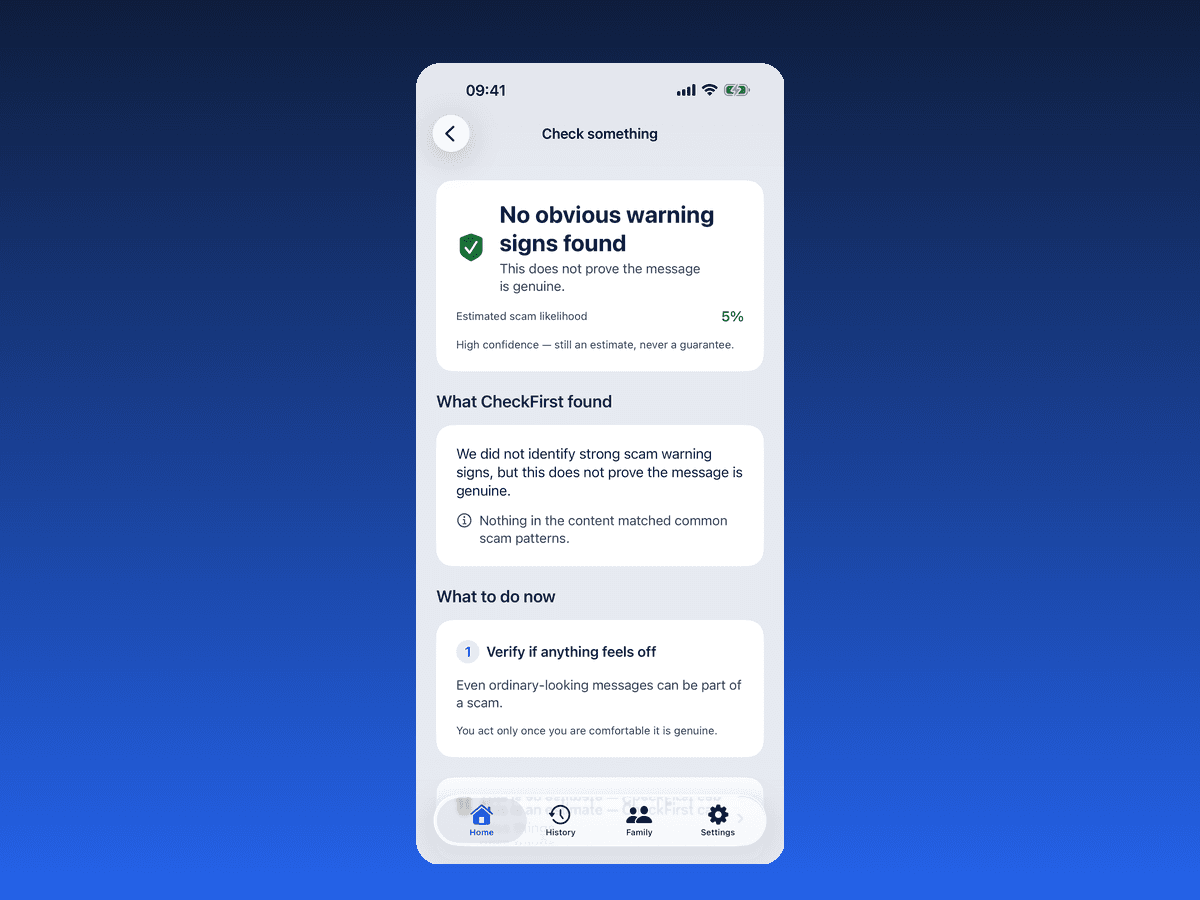
What if no warning signs are found?
Check First says so — and says clearly that this does not prove the message is genuine. Even genuine-looking messages can be part of a scam, so the app still recommends verifying if anything feels off.
Built for families
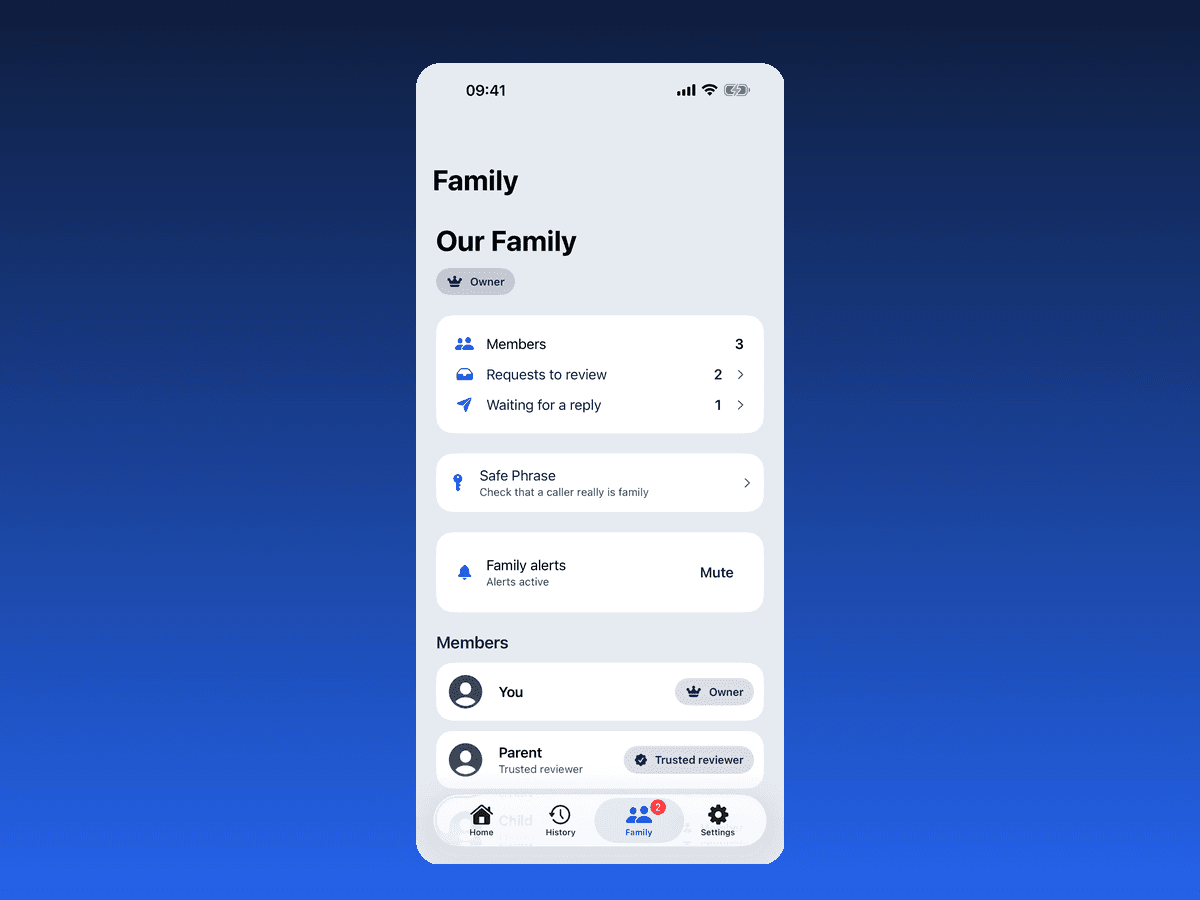
Add family members and send them a check to review before anyone acts. Requests to review and replies are visible to the family group — useful when a relative isn't sure about a message they've received.
A safe phrase for your family
Families can set a shared safe phrase — a simple way to verify that a call or message claiming to be from a family member really is.
Privacy-led by design
Submitted checking content is processed for the requested analysis and is not persisted by the Check First backend. Structured results and History can be kept locally on the device, while optional account-backed Family features store the information needed to work. Check First does not sell personal data or use it for cross-app tracking or ad profiling. Checking something you have been sent should not create a new privacy problem.
Legal and support
Read the app-specific terms and privacy details, or get help with Check First, purchases and Apple billing.
Check First — frequently asked questions
What is Check First?
Check First — Scam Protection is an iPhone app from Education Host Studio that helps families pause and check suspicious messages, emails, websites and screenshots for common scam warning signs before anyone acts on them.
Does Check First tell me whether something is definitely a scam?
No. Check First's results are estimates of scam likelihood, never a guarantee — and a result with no obvious warning signs does not prove a message is genuine. Always verify suspicious content independently, using contact details you already trust.
How does the family review feature work?
Check First lets you add family members and send them a check to review before acting, so a trusted person can give a second opinion on a suspicious message.
What is the safe phrase in Check First?
A safe phrase is a shared phrase your family agrees on inside Check First, used to verify that a call or message claiming to be from a family member really is from them.
When is Check First coming out?
Check First is coming soon to iPhone. A release date has not been announced — this page will link to the App Store when it is available.
Does Check First store what I check?
Submitted checking content is held only for the request and is not persisted by the Check First backend. Structured results and History can be stored locally on your device according to the app's History settings, and optional account-backed Family features store the information they need to work. Check First does not sell personal data or use it for cross-app tracking or ad profiling.
Check First is on its way
Check First — Scam Protection is coming soon to iPhone. In the meantime, explore the rest of the Studio catalogue.