

School trip app · iPhone and iPad
Trip Manager
Trip Manager brings consent, trip updates, photos, messages and staff registers together for school trips. Parents can follow the day in one place, while staff can keep working when the signal does not.
Made by Education Host
What does Trip Manager help schools manage?
From consent before departure to registers and updates during the day, Trip Manager gives parents and trip staff a calm, shared view of the school trip. It is built for British schools and keeps the important details together without relying on email threads or personal phone numbers.
Trip Manager features
The trip at a glance
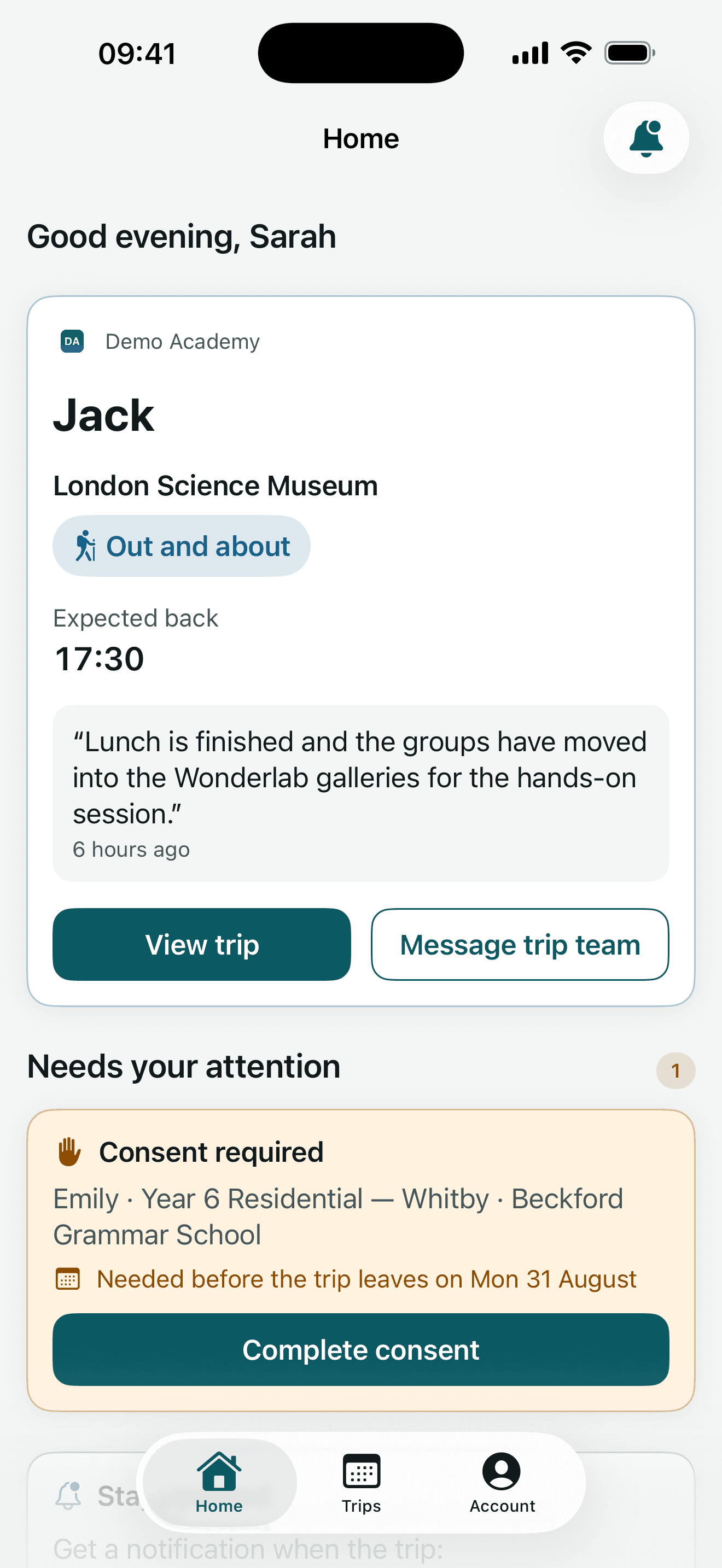
Parents can see where the trip has got to, the expected return time, the latest update and anything that still needs attention from the home screen.
Clear digital consent
Consent questions are presented one at a time in plain English. Answers save as the parent works and are only treated as submitted after the school's system confirms them.
Updates, photos and messages
Trip teams can keep parents informed as the day unfolds, share trip photos and receive messages without giving out a member of staff's personal phone number.
Registers without a signal
Staff can take a register offline. Marks are held on the device, sent when a connection returns and clearly labelled as sent or still waiting.
Information for trip staff
Assigned staff can access pupils, itineraries, staff lists and the medical, dietary and emergency information needed for the trip, including an on-screen privacy cover for sensitive details.
Designed for accessibility
Status always uses words and symbols rather than colour alone. The app supports Dynamic Type, VoiceOver and Reduce Motion, with parent screens checked at the largest accessibility text sizes.
Trip Manager app screens
See where the trip is up to. 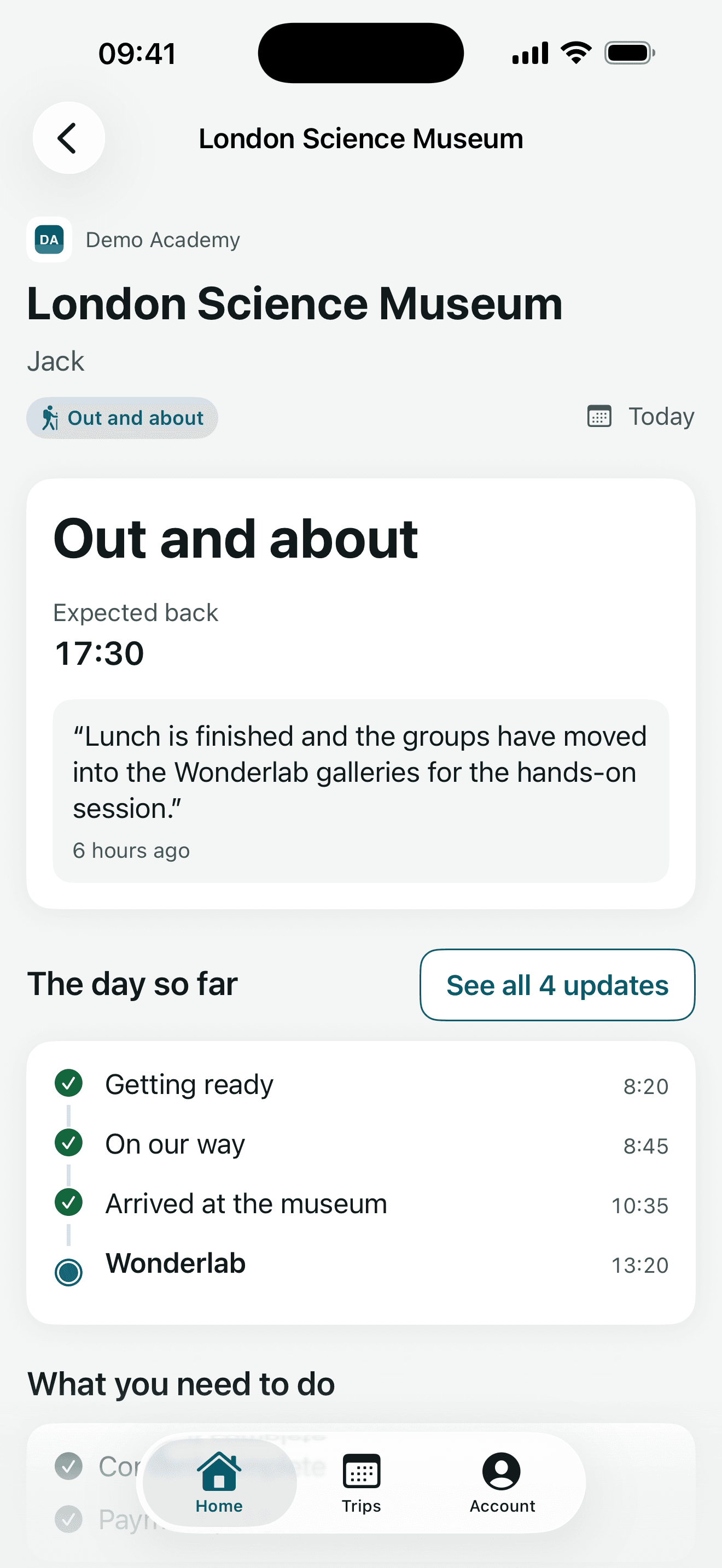
Times, updates and actions on one screen. 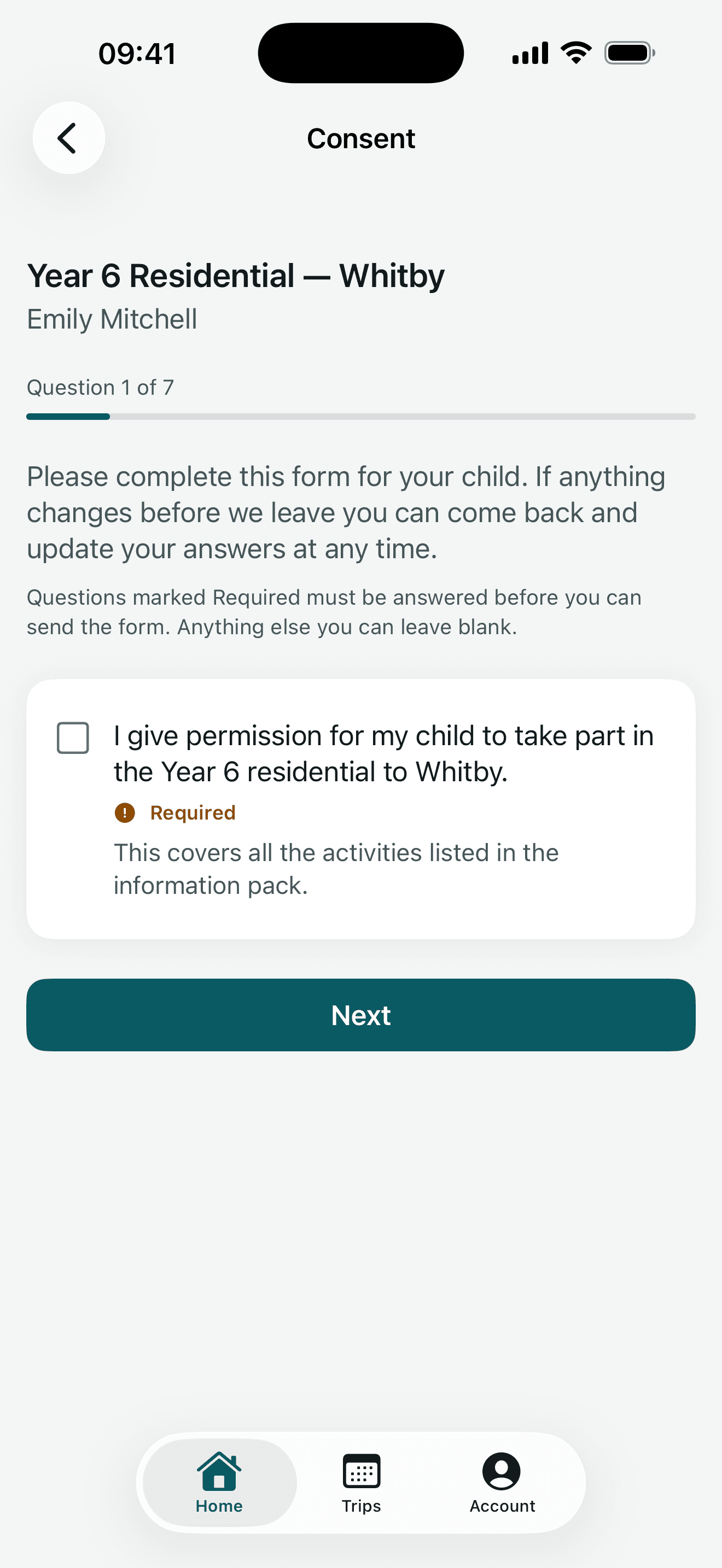
Clear consent questions with answers saved as you go. 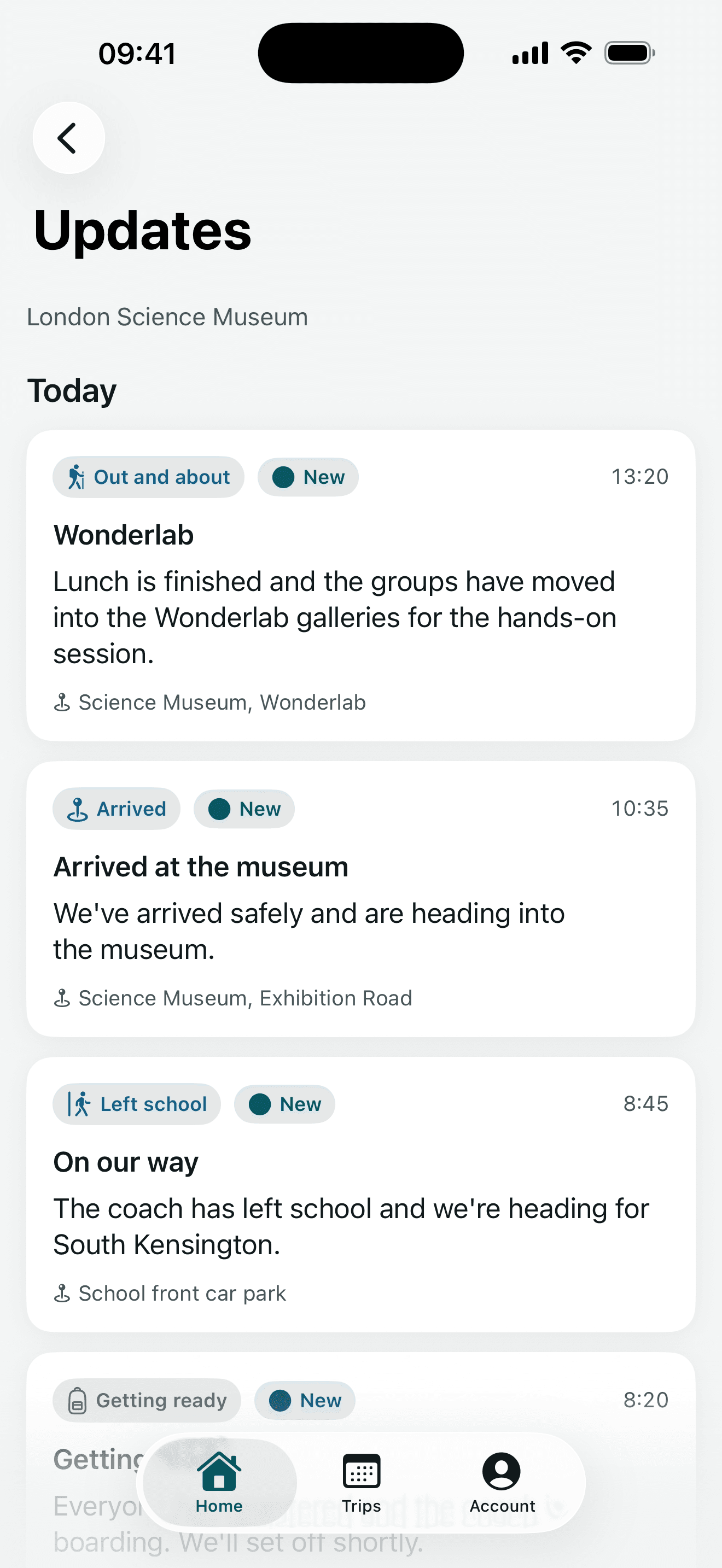
Updates from the trip team, in order. 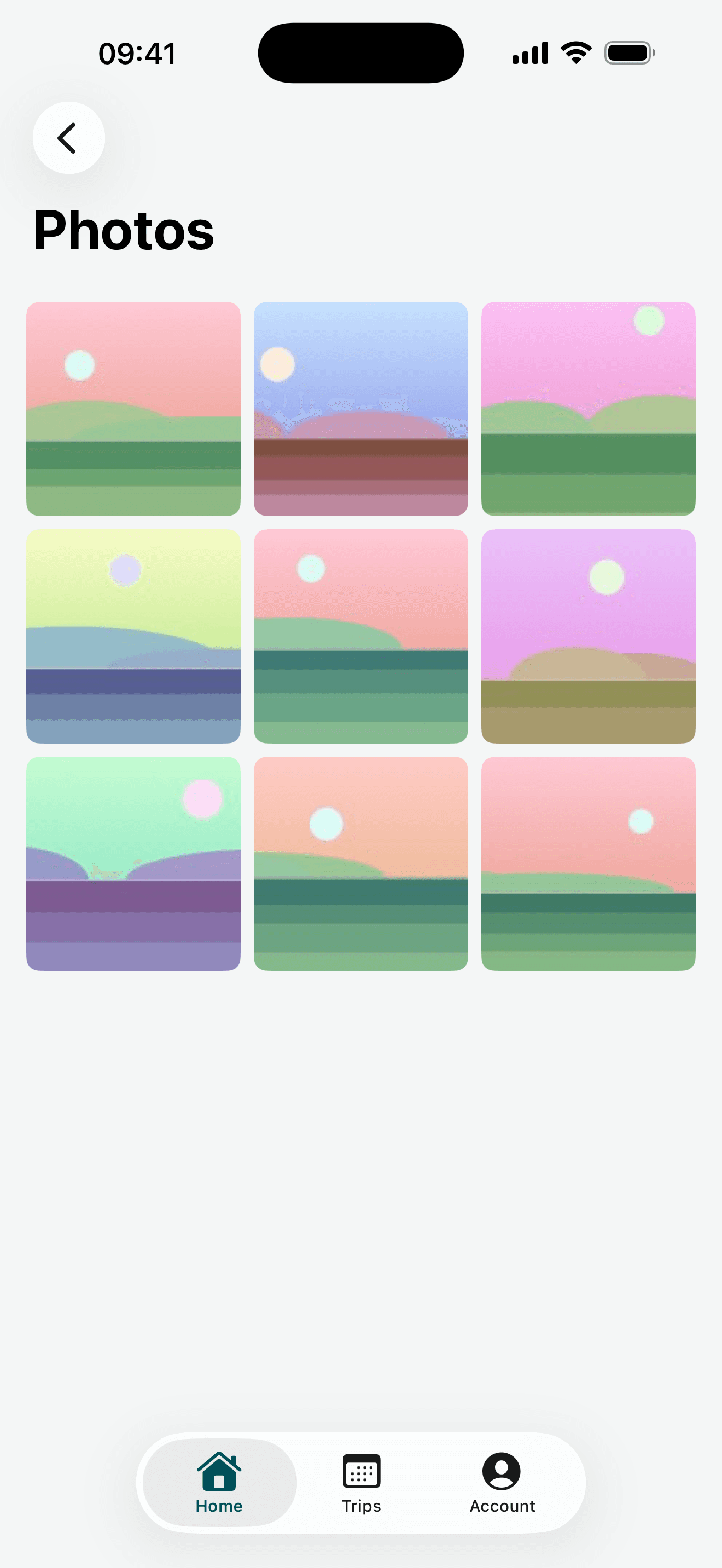
Photos shared with parents on the trip. 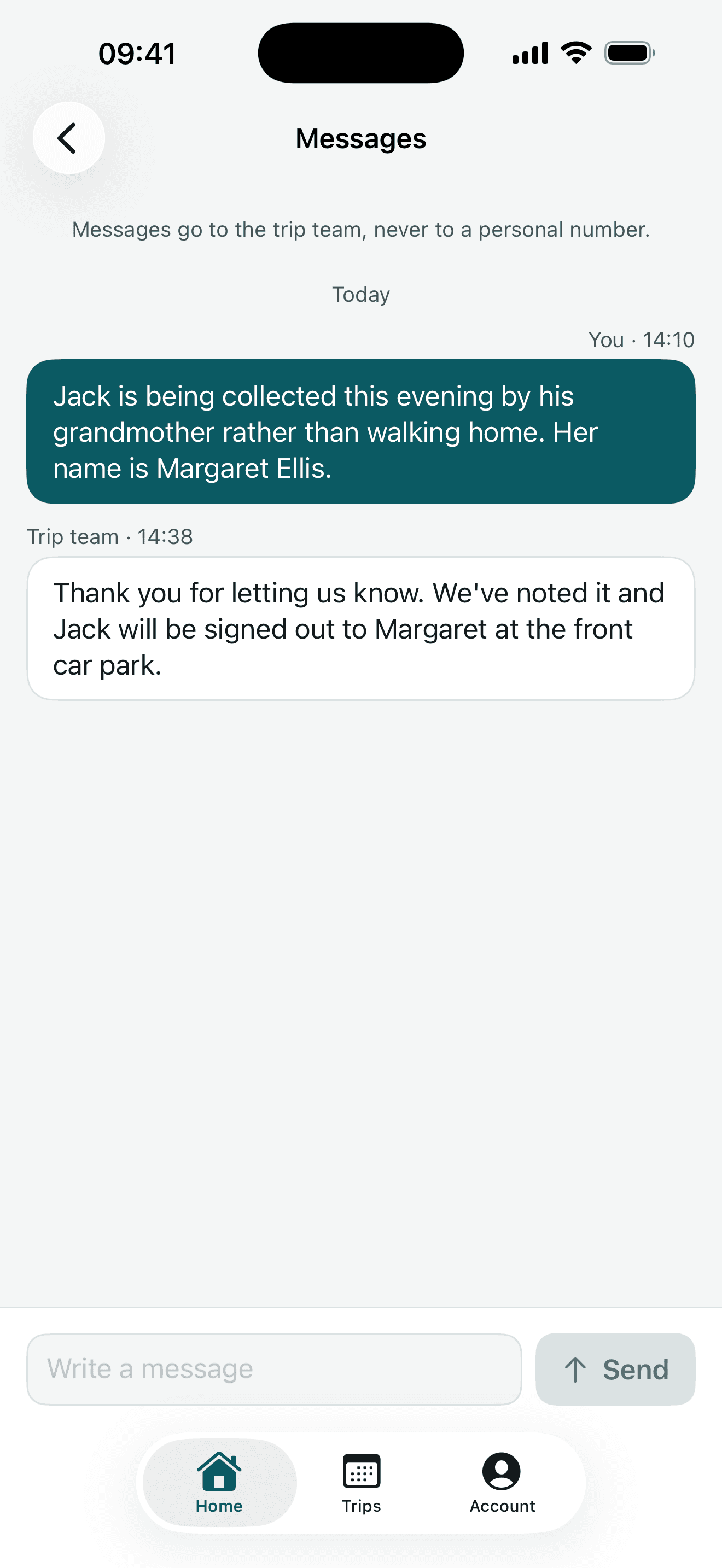
Message the trip team, not a personal phone number. 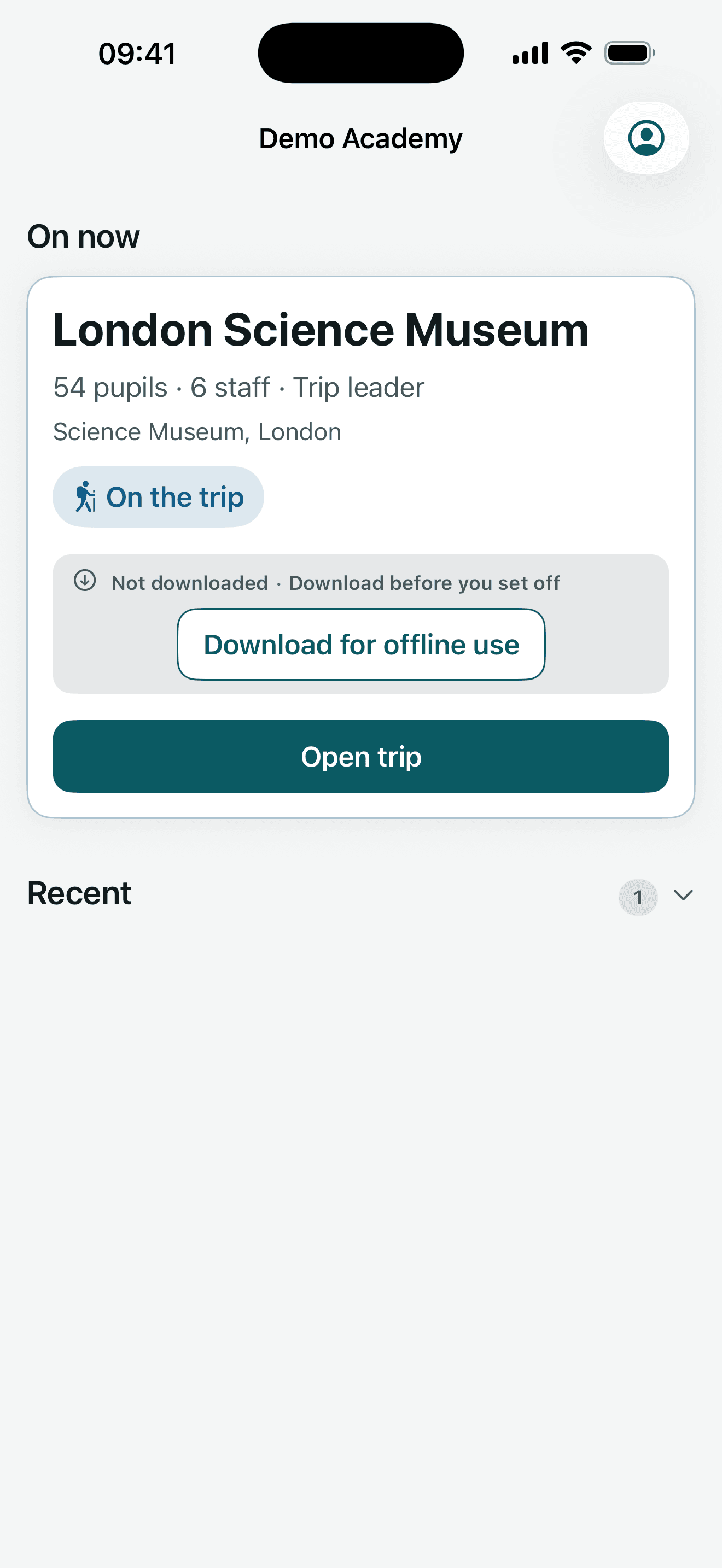
Every assigned trip ready for staff to open. 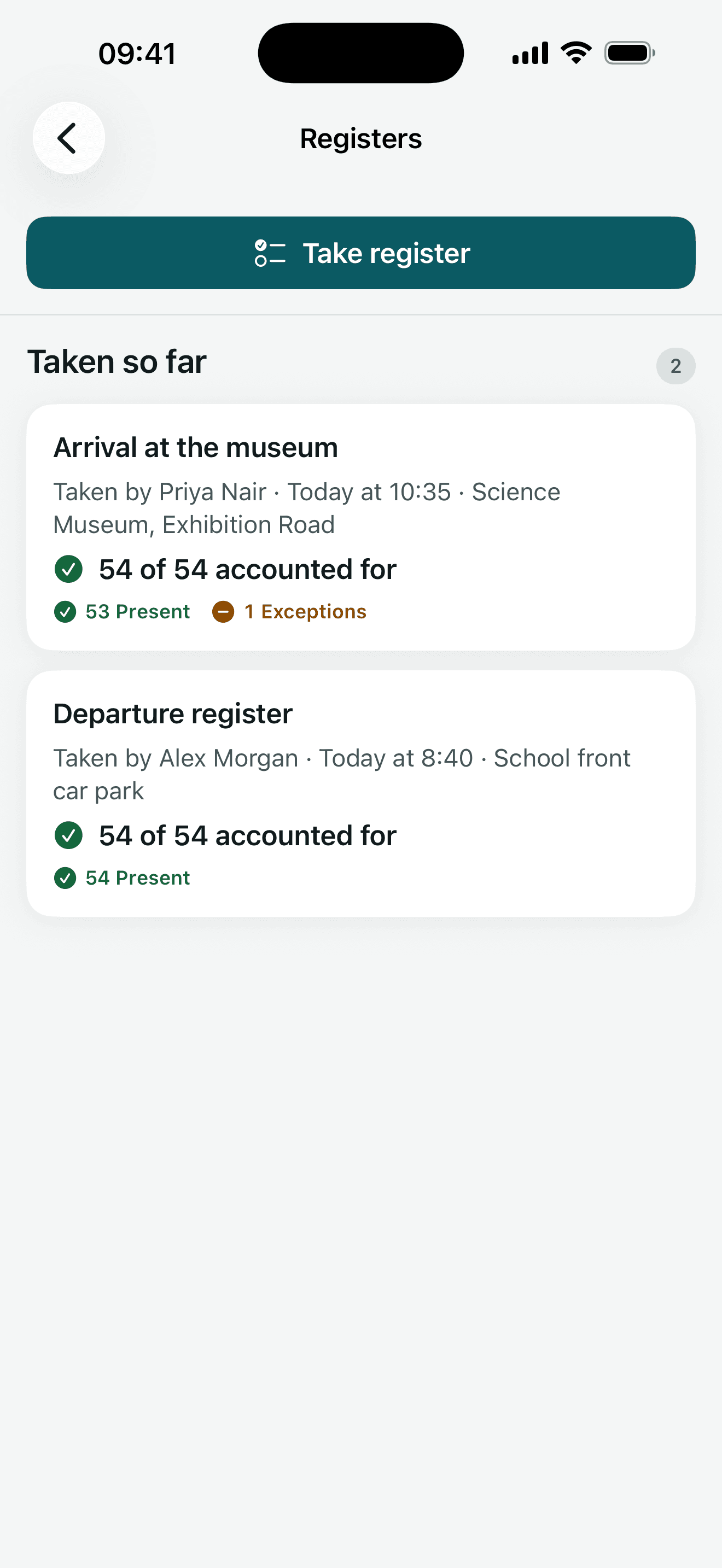
Registers queue safely when there is no signal.
Where can I get Trip Manager?
Trip Manager is available on the App Store for iPhone and iPad, where Apple publishes the listing as “Trip Manager for Education”. The app works with a school’s Trip Manager platform and needs an account supplied by the school: parents are invited by email, while staff sign in with their school Microsoft account.
Trip Manager — frequently asked questions
What is Trip Manager?
Trip Manager is an iPhone and iPad app for parents and the staff who lead school trips. It brings trip details, consent, updates, photos, messages and staff registers into one place.
Who can use Trip Manager?
Trip Manager works with a school's Trip Manager platform and needs an account supplied by the school. Parents are invited by email, while staff sign in with their school Microsoft account.
Does Trip Manager work without mobile signal?
Staff can prepare an assigned trip for offline use and take registers without a connection. Register marks are queued on the device and sent when signal returns, with clear sent and waiting states.
How does Trip Manager handle privacy?
The app contains no third-party trackers, advertising identifier or analytics SDK. It exchanges school-trip data with the school's Trip Manager platform, protects sensitive information on the device and does not write that information to logs.
Which devices support Trip Manager?
Trip Manager requires iOS 17 or later and works on iPhone and iPad.
Where can I get Trip Manager?
Trip Manager is available on the App Store for iPhone and iPad. Apple publishes the listing as “Trip Manager for Education”. Current details are shown on the App Store listing itself.
Get Trip Manager on the App Store
Trip Manager is available on the App Store for iPhone and iPad. Current pricing and details are on the App Store.