

School cover app · iPhone and iPad
Cover Manager for Education
Cover Manager for Education brings staff absence requests, manager decisions and cover allocation suggestions to iPhone and iPad. It connects to your school's Cover Manager platform using your school code and existing Microsoft sign-in. Coming soon, pending App Store approval.
Made by Education Host
School absence and cover decisions, closer to hand
Teachers and support staff can follow their own requests, while authorised managers see the decisions their role permits. Cover managers can review explained allocation suggestions and act on them without leaving the school's existing Cover Manager workflow.
Cover Manager for Education features
Request absence and cover
Choose dates and sessions or a whole day, select a reason and add an optional note. See who will approve the request before submitting it.
Follow your requests
Check awaiting, approved and declined requests, with decisions and allocated cover shown alongside the request.
Review staff absence
Authorised managers can review the date, sessions, reason and notes, then approve a request or decline it with a reason.
Understand cover suggestions
Cover managers can read explanations covering availability, workload and department fit, then approve a suggestion, choose an eligible alternative or dismiss it.
Use your school's sign-in
Enter the school code supplied by your school, then sign in with your Microsoft account. The app uses existing staff access and does not create accounts.
Designed for everyday access
Supports Dynamic Type, VoiceOver and Reduce Motion. School branding appears in the app, with no advertising or third-party analytics SDKs.
Cover Manager for Education app screens
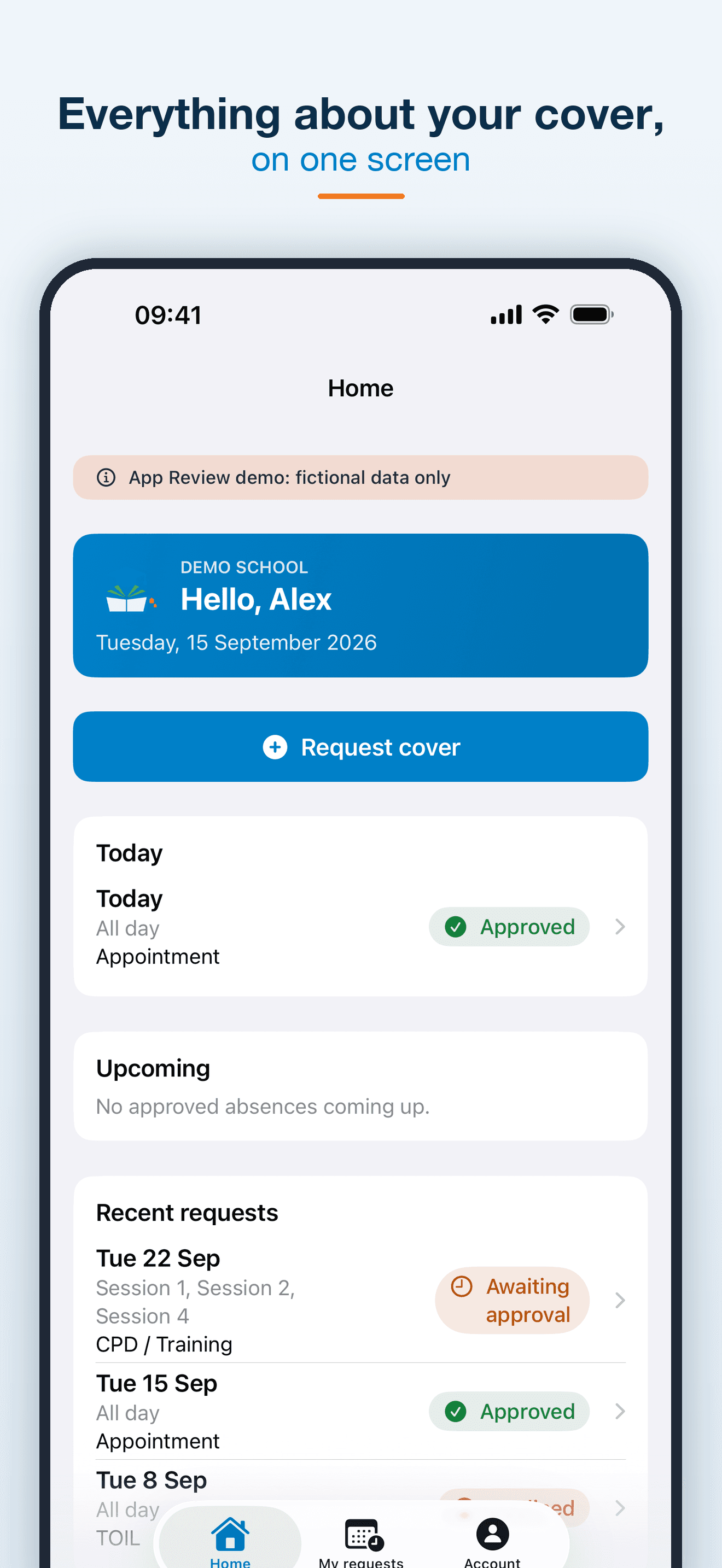
Today's absence and recent requests, together. 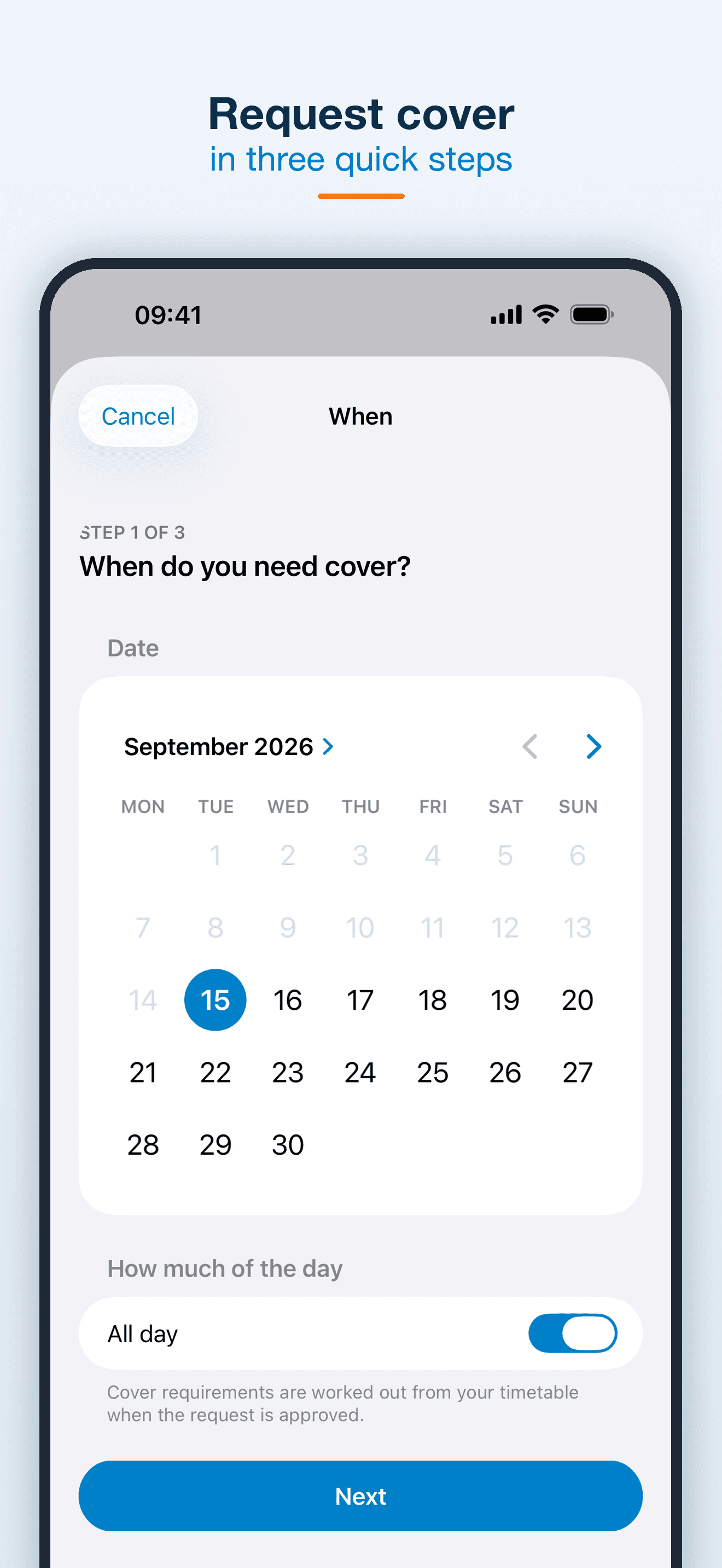
Choose dates and sessions for a cover request. 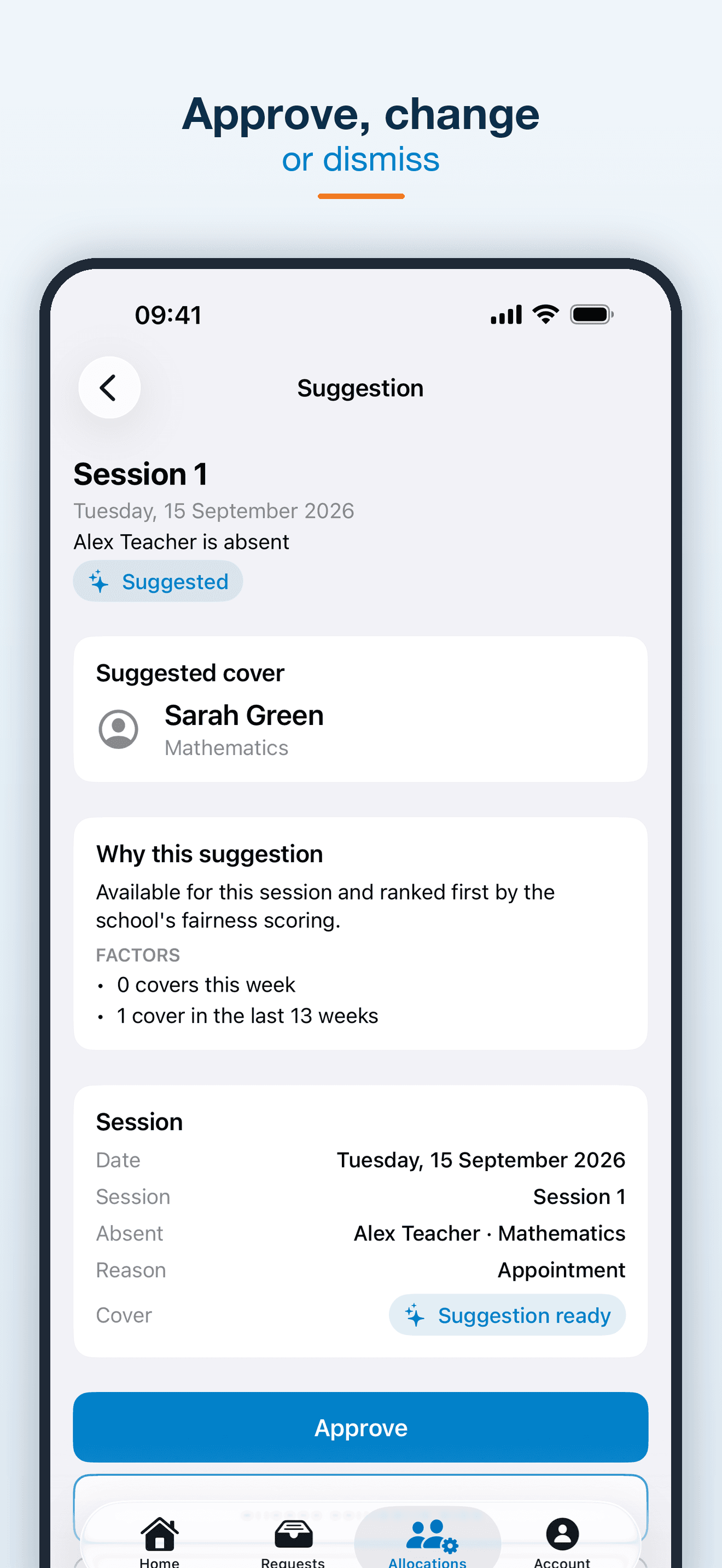
Review a suggestion before approving, changing or dismissing it. 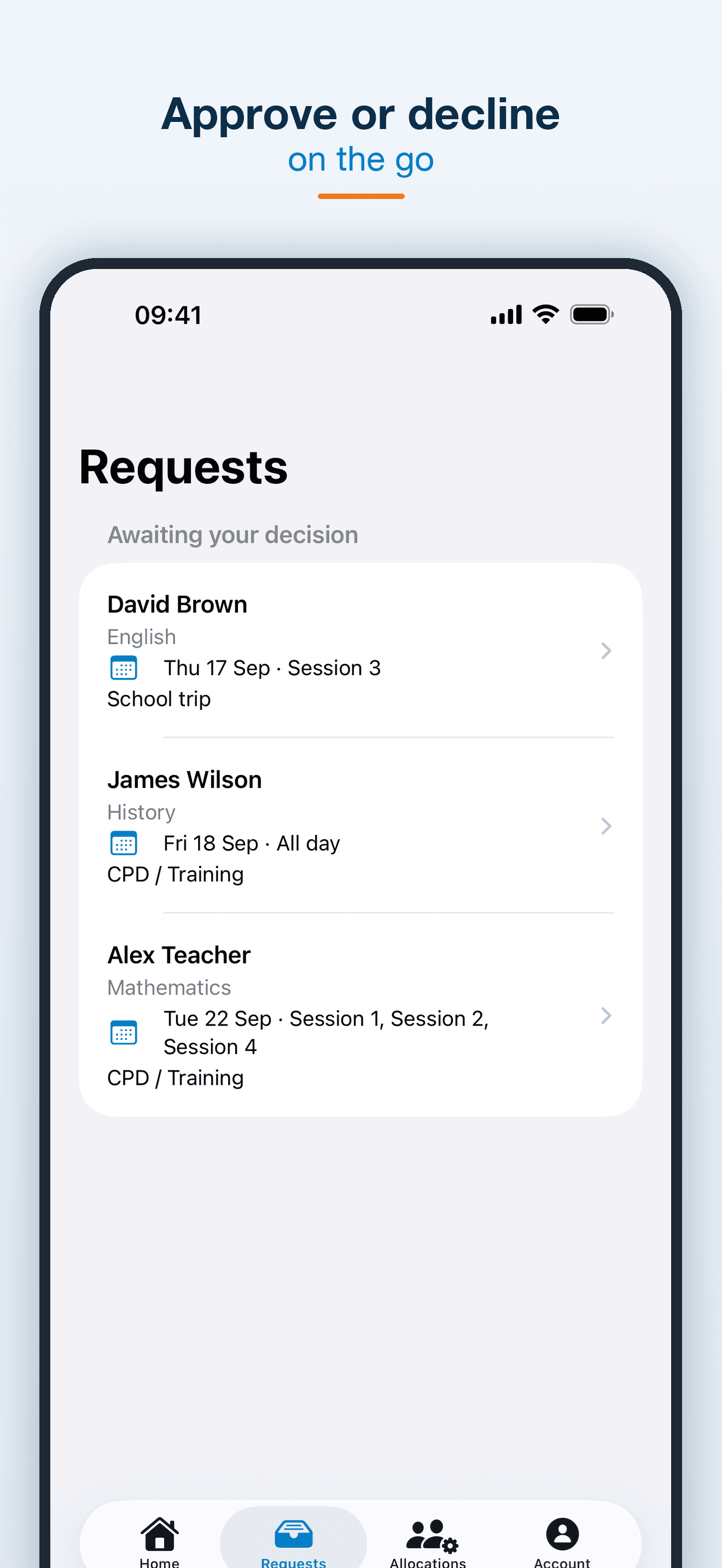
See the staff requests awaiting your decision. 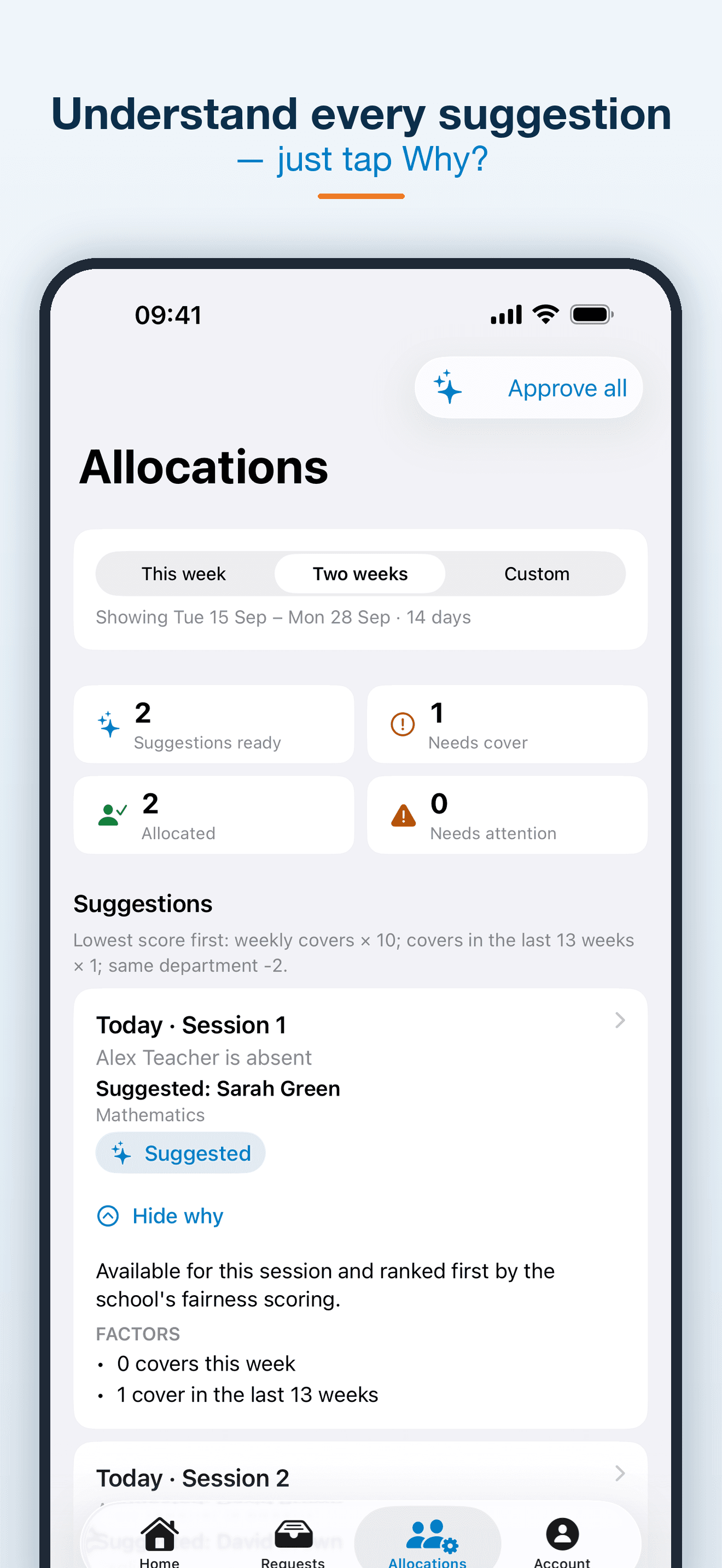
Understand the availability and workload behind a suggestion. 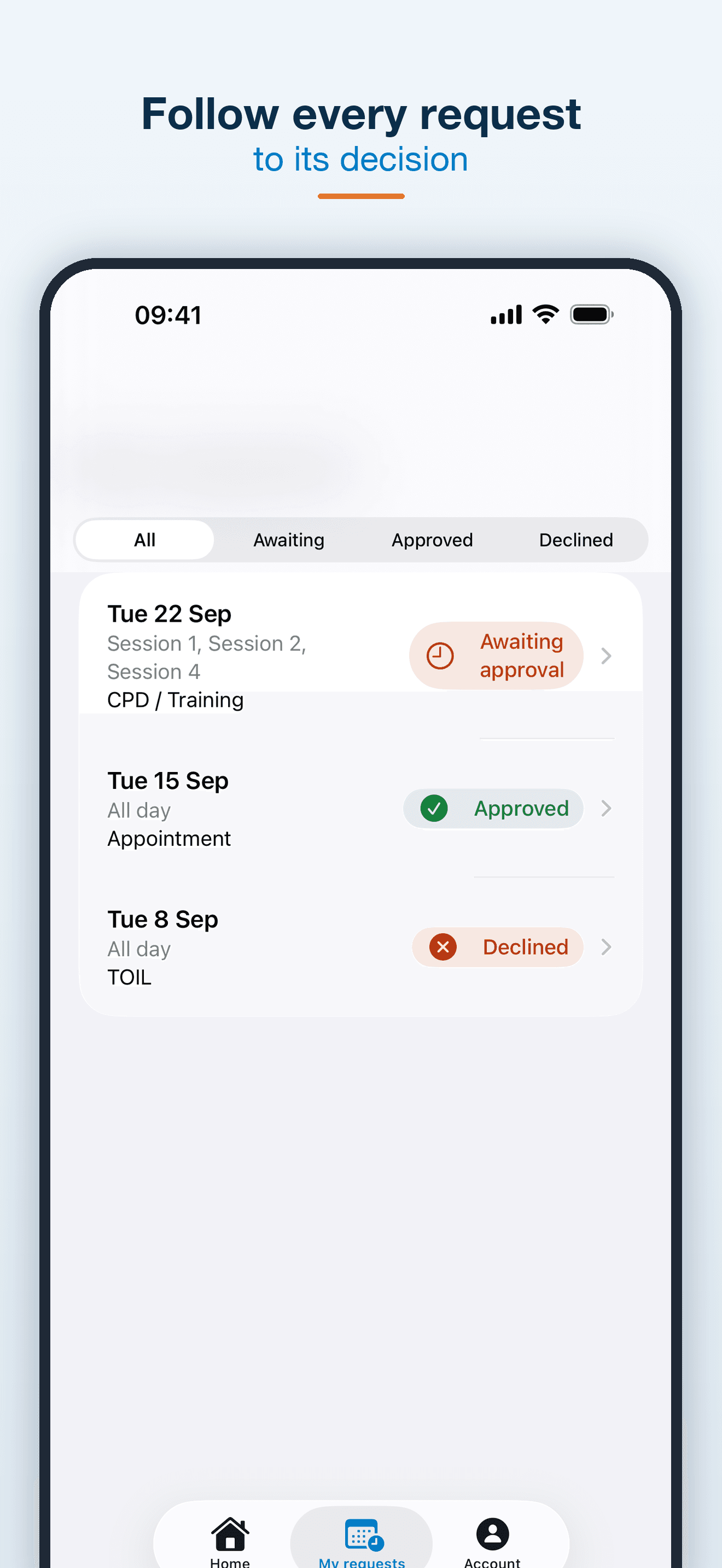
Follow each request through to its decision. 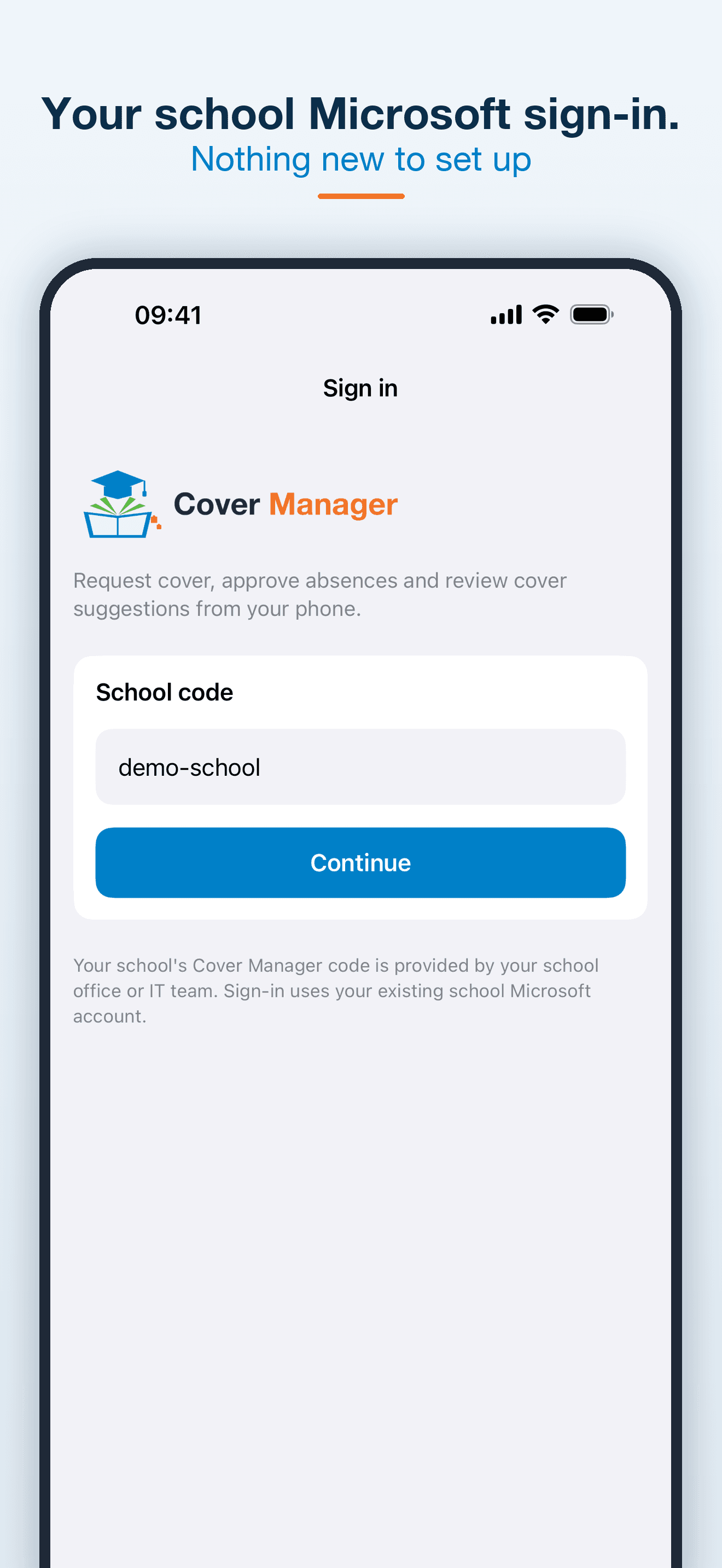
Start with the school code supplied by your school. 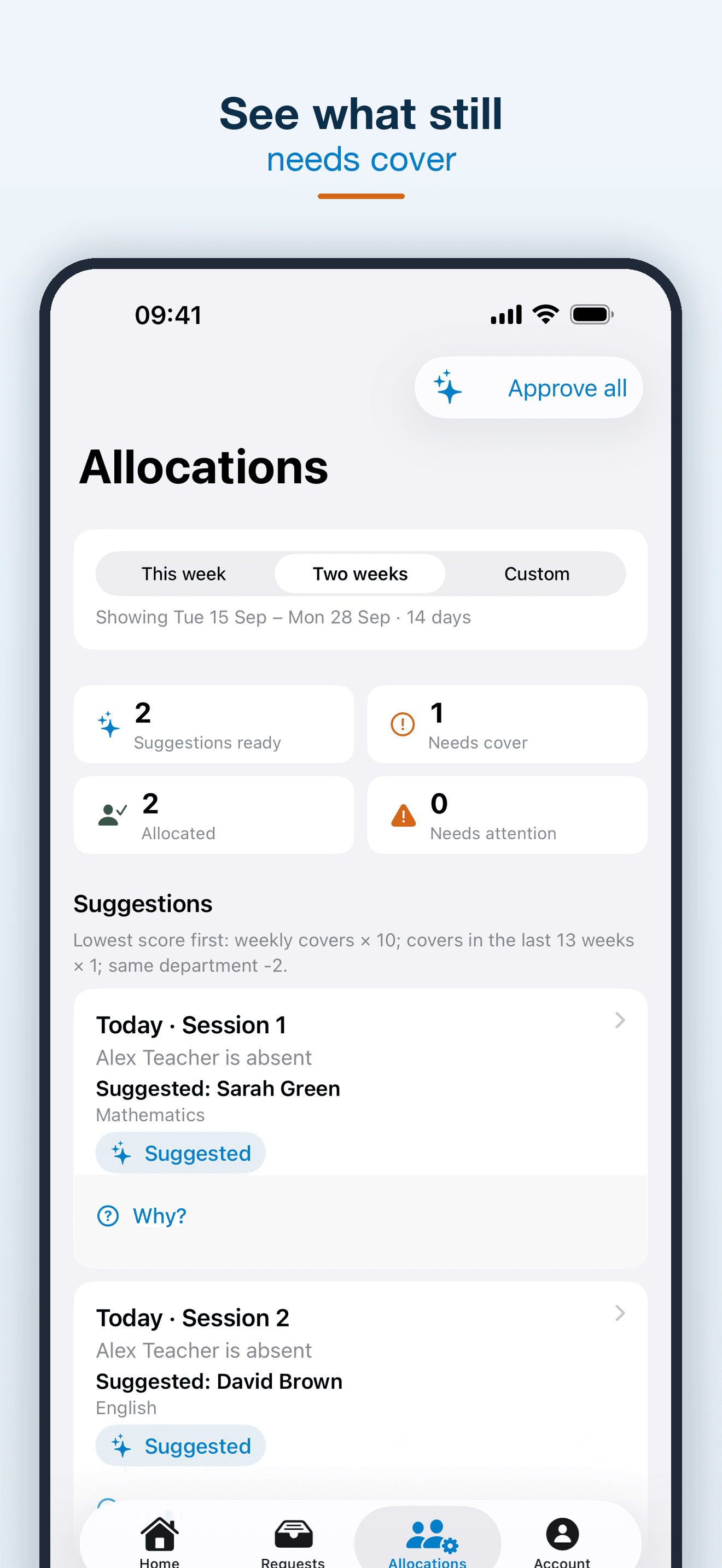
See which sessions still need cover.
Coming soon to iPhone and iPad
Cover Manager for Education is pending App Store approval. The app requires a school using Cover Manager and does not provide a standalone school account. Your school office or IT team supplies the school code and access details.
Cover Manager for Education — frequently asked questions
What is Cover Manager for Education?
Cover Manager for Education is the iPhone and iPad companion to the school's Cover Manager platform. It helps staff request absence and cover, authorised managers review requests, and cover managers action allocation suggestions.
Can I download the app yet?
Cover Manager for Education is currently pending App Store approval. It is listed here as coming soon; no release date has been announced.
Who can use Cover Manager for Education?
The app is for staff at schools using Cover Manager. You need a school code from your office or IT team and an existing school Microsoft account with the appropriate access.
Does the app allocate cover without a manager?
No. Cover suggestions are reviewed by an authorised cover manager, who can approve, change or dismiss them. The app can also approve the ready suggestions together after confirmation.
Does it include Duty Manager and reports?
No. Duties, reports, cover work, MIS configuration and school settings remain in the web platform. Manual allocation without a suggestion is also a web workflow.
Does it work offline or send push notifications?
An internet connection is needed for requests, approvals and cover actions. The current app does not include push notifications or save absence content and drafts on disk.
Which devices does it support?
Cover Manager for Education is designed for iPhone and iPad running iOS or iPadOS 17 or later.
Privacy, terms and support
Read how your information is handled, understand the app licence or get help.
Cover Manager for Education Privacy Policy
How Cover Manager for Education handles school staff information, absence requests, sign-in data, retention and privacy rights.
Cover Manager for Education Terms and Licence
Licence information, school account requirements and responsible use of Cover Manager for Education on iPhone and iPad.
Cover Manager for Education Support
Get help with Cover Manager for Education sign-in, school codes, absence requests, cover decisions and privacy requests.
Cover Manager is on its way
Cover Manager for Education is coming soon to iPhone and iPad. In the meantime, explore the rest of the Studio catalogue.